Summarize this article with:
In a digital world where online visibility is paramount, Google My Business is an essential tool for companies in Abidjan wanting to stand out from their competitors. If you are a restaurant owner, retailer or service agency in Abidjan, a well-optimised Google My Business listing can be the key to attracting customers to your business. Follow these fundamental steps to create and optimise your profile.
TL;DR
🎯 Google Business Profile is the most effective free tool to be found by customers near you.
✅ The steps: creation, business type, basic information, address and service area, phone and website, verification, then ongoing optimisation.
💡 An active, well-rated listing makes the difference in Google's local pack.
01What is Google Business Profile (Google My Business)?
Google My Business, recently renamed Google Business Profile, is a free Google tool that lets businesses manage their online presence across Google's platform, including Search and Maps. By setting up your business profile, you make your information easily accessible to potential customers and can showcase what your business has to offer.
02Why create a business listing?
Online presence is an essential growth lever for businesses in Abidjan, and a Google My Business listing is a powerful tool for this. Here is why its importance should not be underestimated:
- It increases your business's online visibility and improves its local SEO
- It lets customers quickly find essential information about your business
- It gives you the opportunity to collect and respond to customer reviews
03The 7 steps to create your Google business listing
Step 1: Go to the Google My Business page
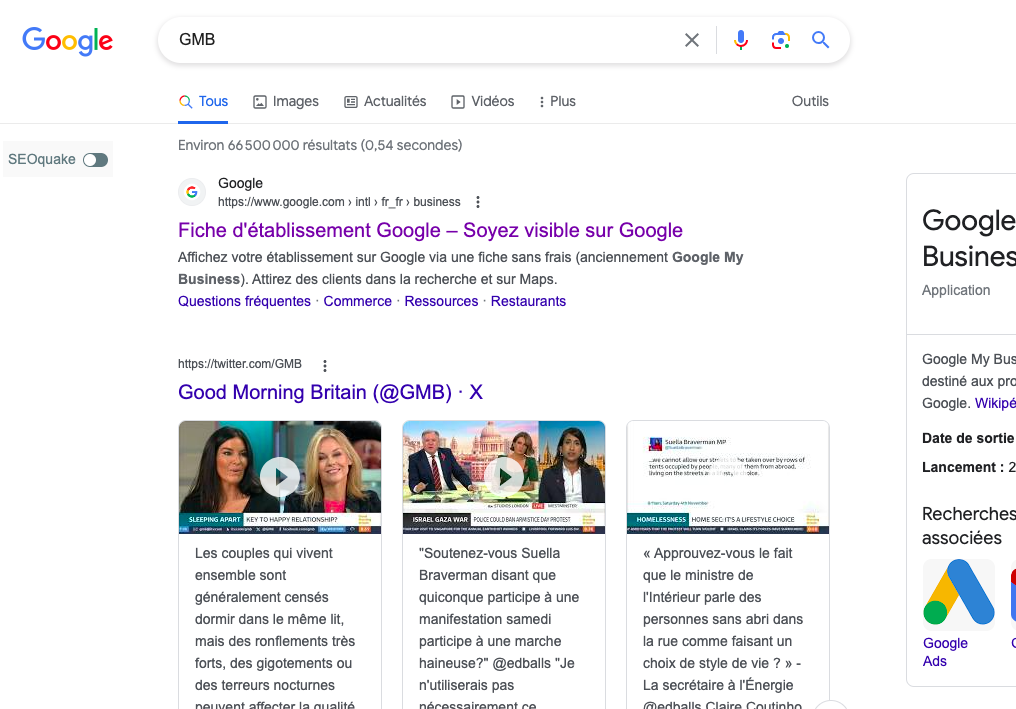
To reach the page where you create your Google Business profile, search Google for the term "GMB". Click the first result to access the service.
Step 2: Create a Google My Business account
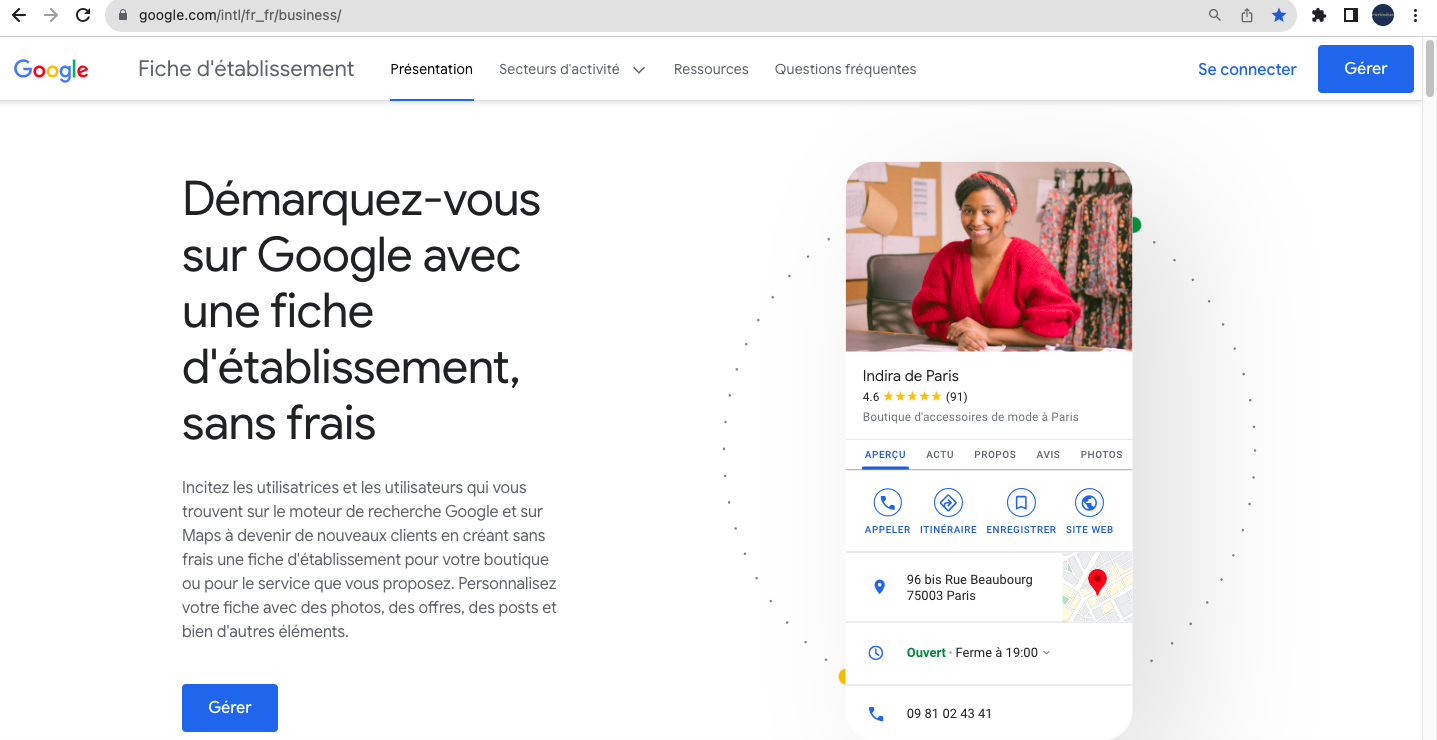
Once on the page dedicated to setting up your Google Business profile, start creating your Google My Business account free of charge. This step is essential to manage how your business is displayed on Google services, notably in search results and on Google Maps. Be sure to use a professional email address linked to your business domain.
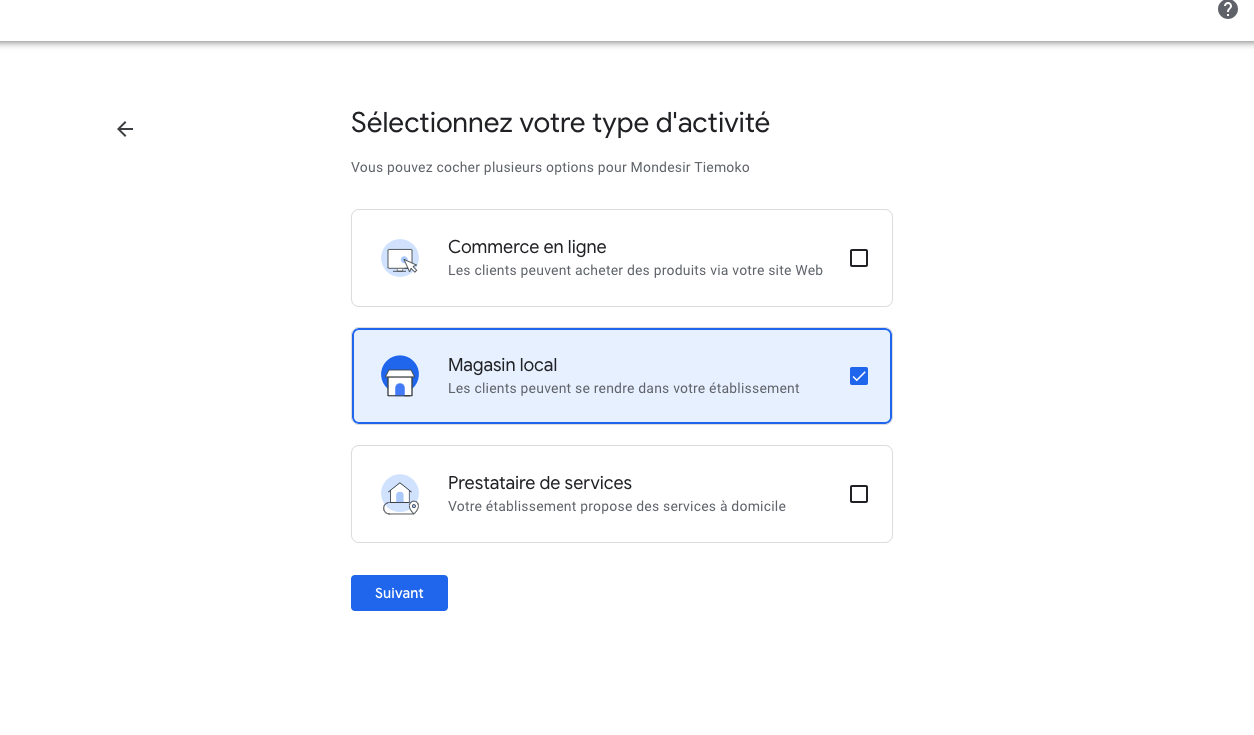
Step 3: Select your business type
When creating a Google My Business listing, a crucial step is selecting your business type. This determines how your business appears in Google Search and Maps, and helps customers find the services or products you offer.
Step 4: Add basic information
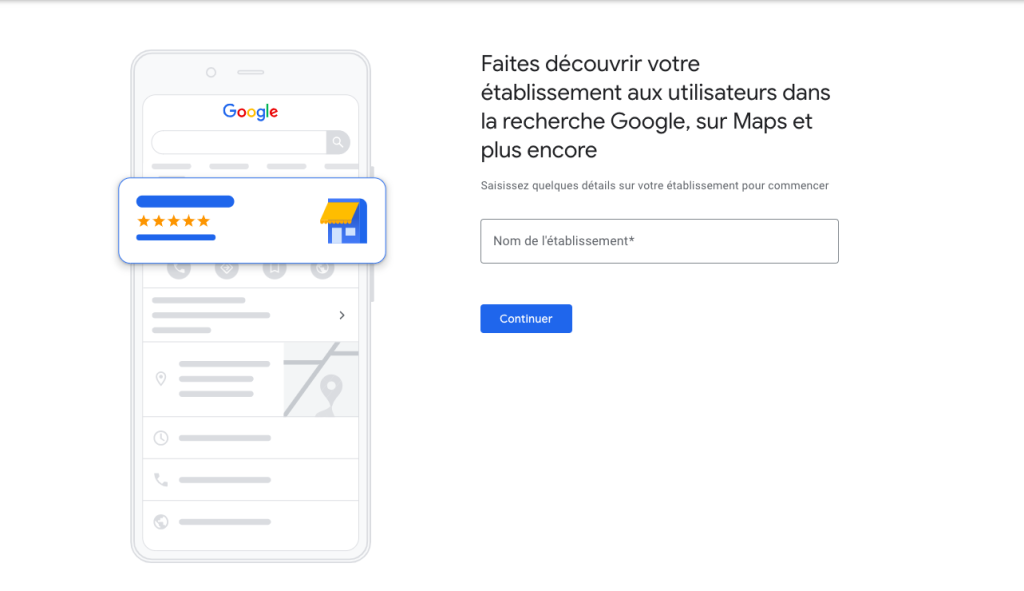
The next step to get your business known on Google is to provide your business name. This is the starting point for establishing your online presence on the most widely used Google platforms, such as Google Search and Google Maps.
Step 5: Address and service area
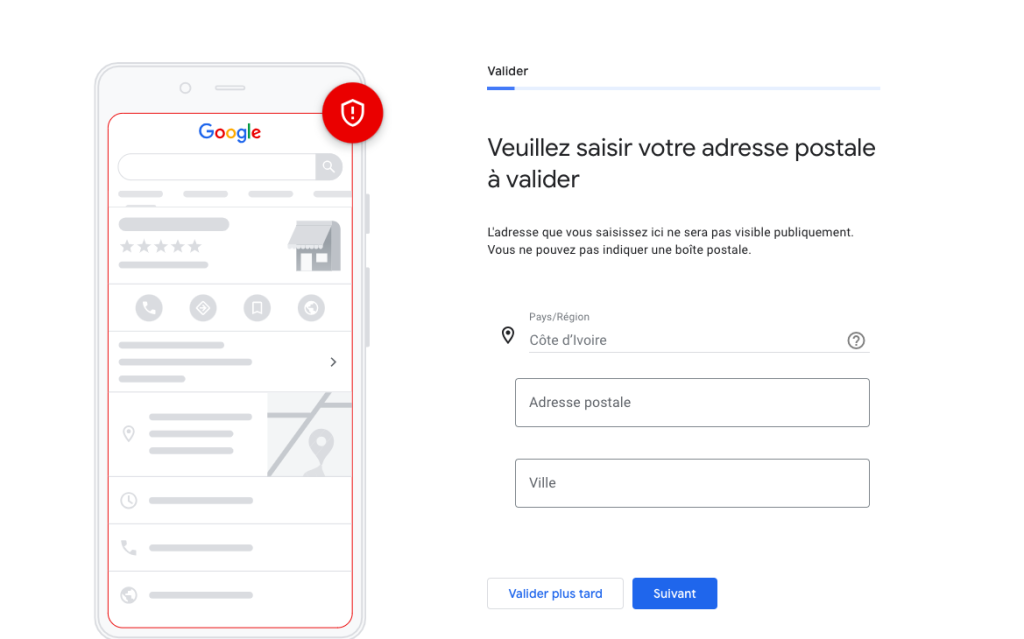
Enter your business's precise address and, if you deliver or serve customers outside this location, define your service area.
Step 6: Phone number and website
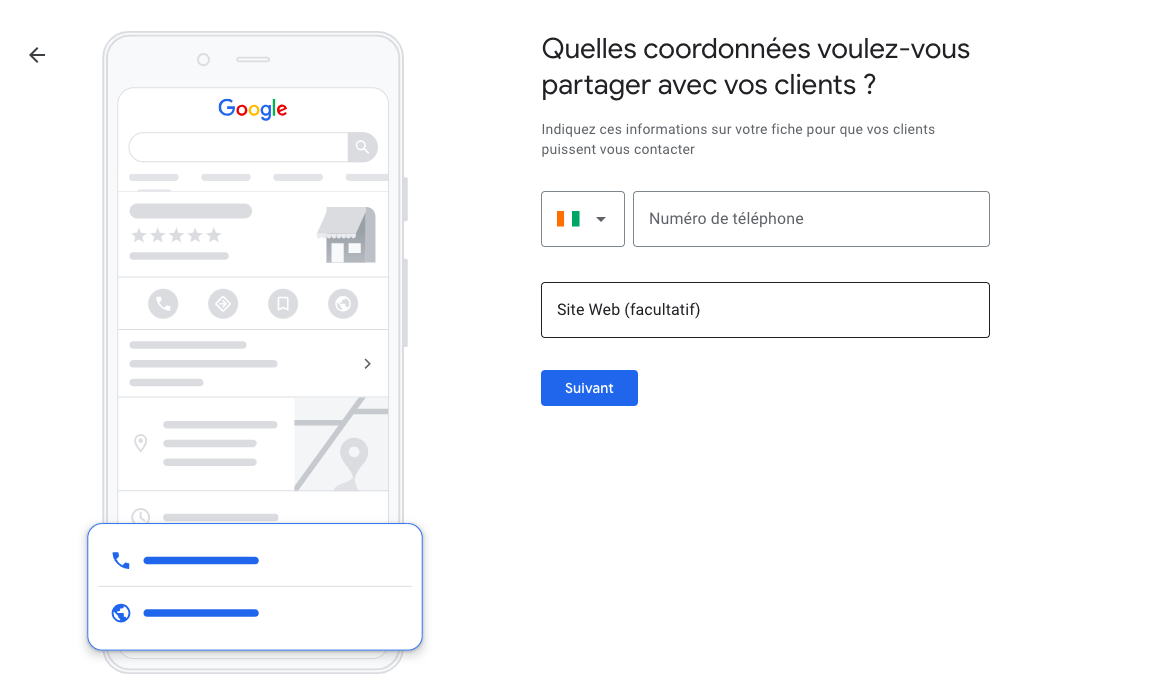
Add a direct phone number and your website URL. This information lets potential customers contact you easily.
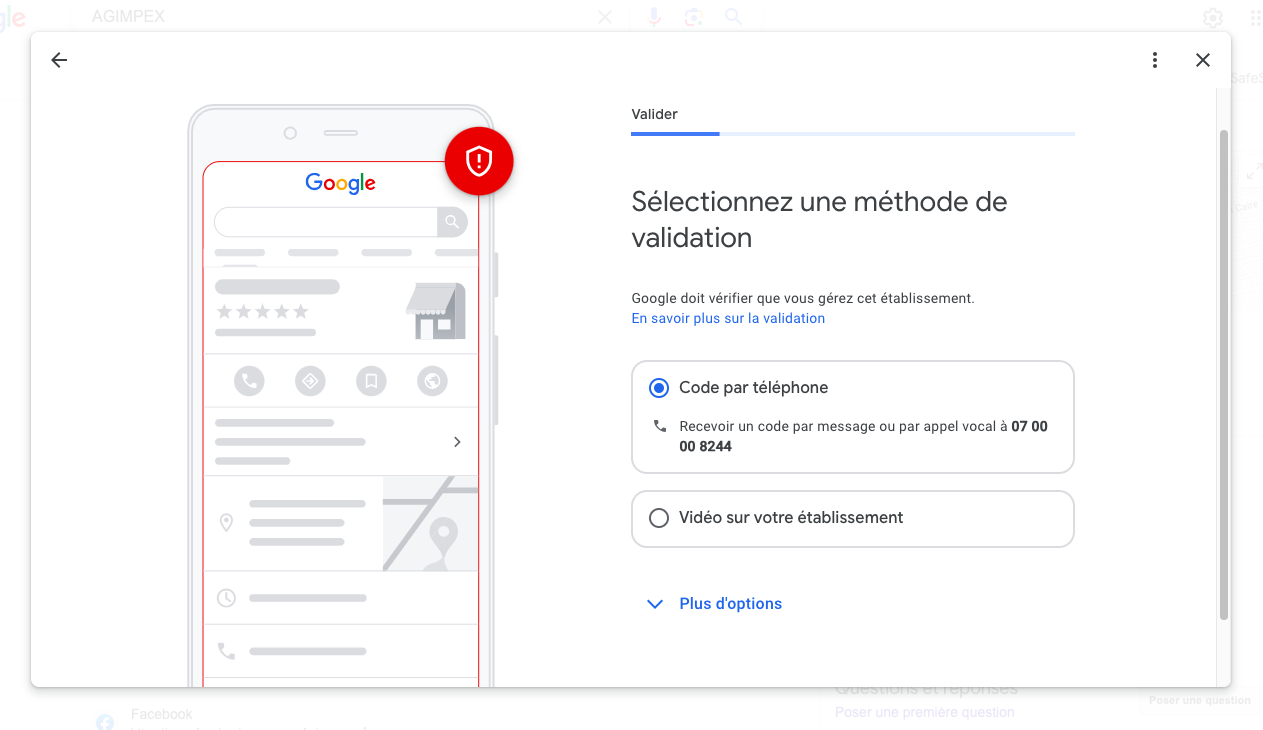
Step 7: Verify your business listing
Verification is a critical step to prove to Google that your business is legitimate. Follow the instructions to verify your business by phone, email or post.
04Conclusion
Your Google My Business listing is often the first contact customers have with your business. By following the set-up steps, you guarantee an online presence that is both robust and professional. It is crucial to keep this listing regularly updated to retain the loyalty of your existing customers and attract new ones. A well-optimised Google My Business listing gives your business not only greater visibility but also a real chance of growth and direct exchange with your customers. For more expertise in this area, call on our web agency in Abidjan, specialised in optimising companies' online presence.